
Your music school. Your teachers. One system.
Running a team of teachers means coordinating schedules, shared spaces, billing, communication, and making sure every family gets a consistent experience regardless of who their teacher is.
Octavia is built for exactly this.
Your studio works off one master list of students and one master list of teachers.
You assign students to teachers, either individually or in groups.
Your teachers access Octavia and can interact with all of the normal teaching tools.
Administrators get extra views that allow them to run the backend of your studio seamlessly.
Teachers can share files, recordings and YouTube links from their My Library with selected colleagues, or with the whole school.
Built for busy music studios
Because your business needs a system purpose built for your industry.
Running a music studio has its own particular requirements.
That's why relying on generic administration tools doesn't cut it.
You want the business side to run smoothly, so you need communication, billing and scheduling tools that are fit for purpose.
But you also want your teachers to have access to educational features to perform your core business well — the teaching.
As an administrator
Here's what you can do.
View, create and update teacher and student records
Drag and drop enrolment management across the whole school
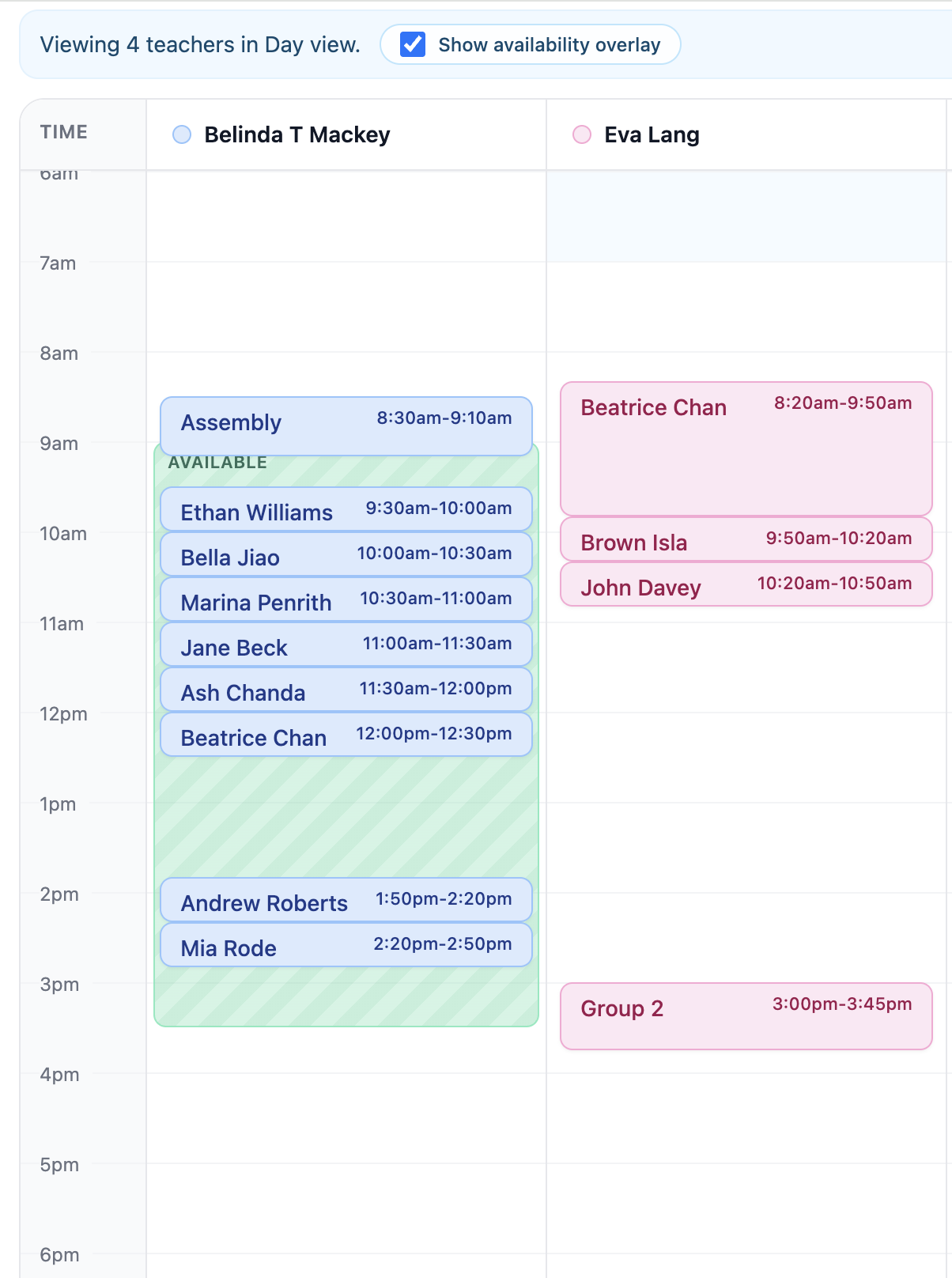
View all teachers' schedules in a colour-coded calendar
Switch to any teacher's view across the whole app
View and mark attendance for any teacher's lessons
Create and manage student exams
Create school-wide performances, practiceathons and news items
Assign substitute teachers to individual lessons
Mark teachers as accompanists and assign them to student entries
Generate and manage invoices across all teachers' students
As a teacher
Here's what they can do.
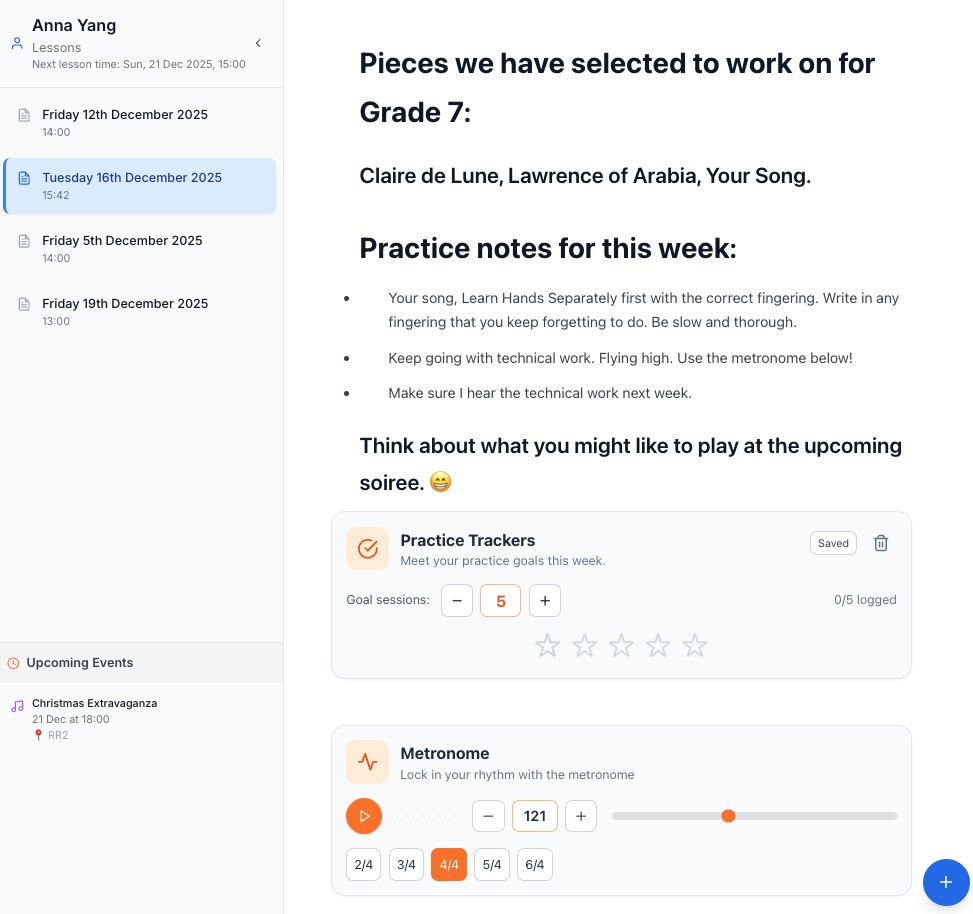
View their students' and parents' contact details
Plan and update their own timetable
Mark attendance and write lesson notes
Access all lesson tools
Create news items for their own students
Run their own performances and practiceathons
Add students to school-wide events
Cover lessons as a substitute teacher
View room bookings across the school
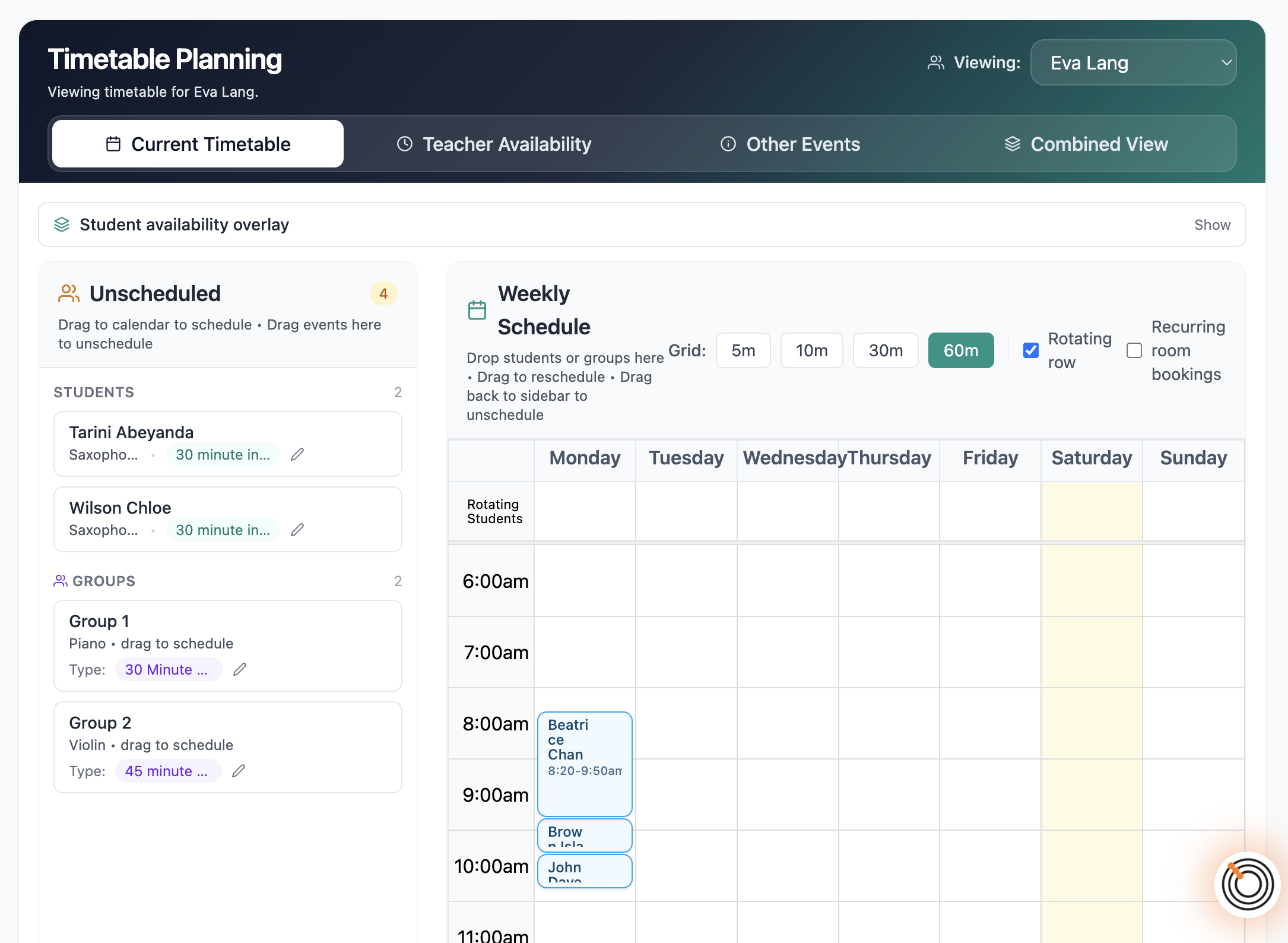
Set up every teacher's timetable. Generate the whole term.
For most studio owners, getting a full teaching week scheduled and generating a term's worth of lessons is the single biggest administrative task of the year. Octavia's scheduler is built to make this fast — for one teacher or twenty.
Set up each teacher's weekly timetable once, then generate lessons for as far ahead as you need. Everything flows into the right teacher's calendar automatically. When things change — and they always do — individual lessons and recurring patterns are both easy to update.
Know exactly where every lesson is happening.
A full room booking system built for studios with shared teaching spaces.
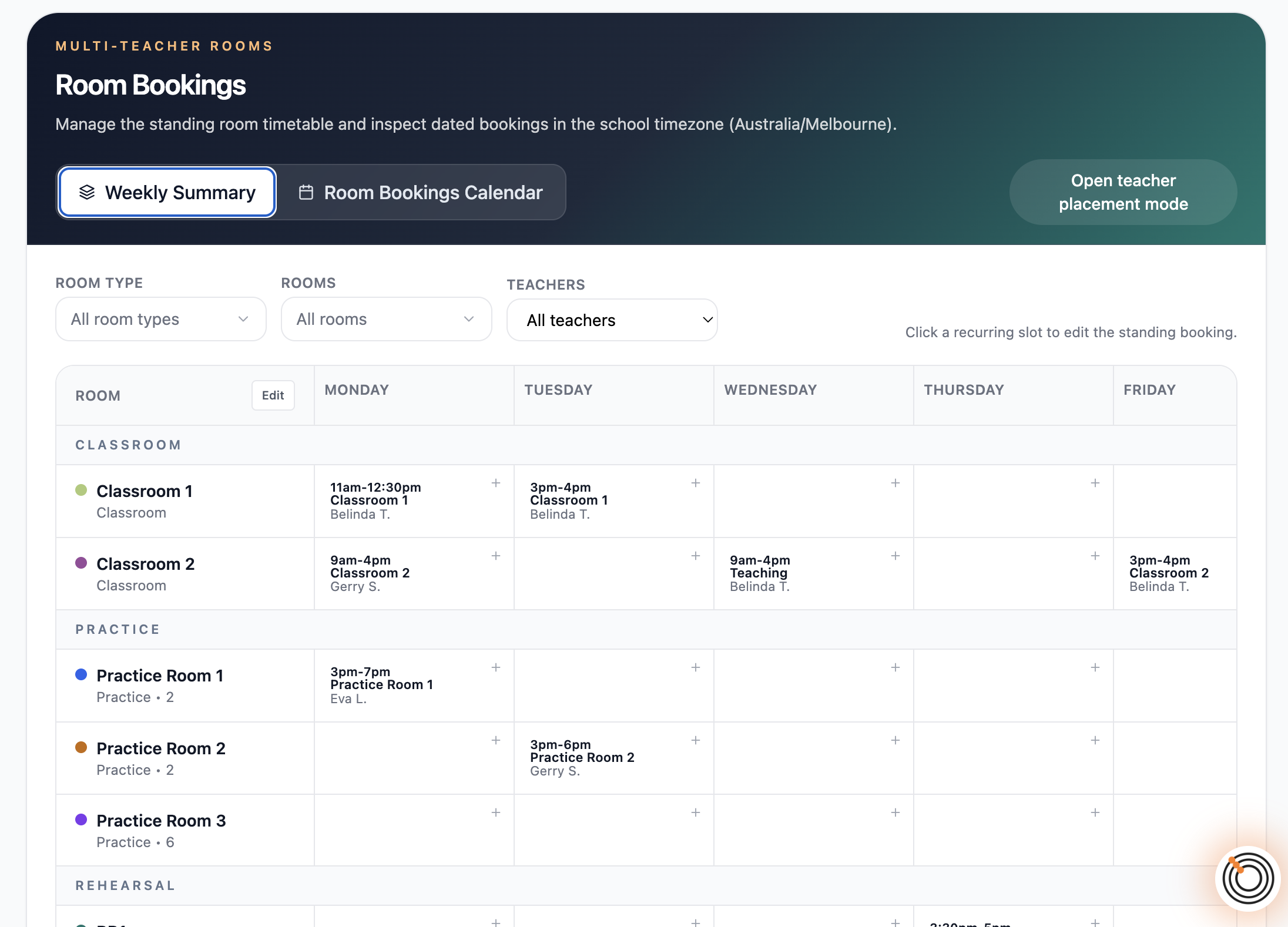
Shared teaching spaces are a coordination headache without the right tools. A name in a notes field is not a booking system. Octavia gives multi-teacher studios a proper room booking infrastructure — standing recurring bookings, one-off sessions, room unavailability, and two dedicated views to manage it all.
Administrators set up rooms and manage bookings. Teachers can see what is booked across the school. Everything integrates with the main calendar so room commitments are visible alongside lessons.
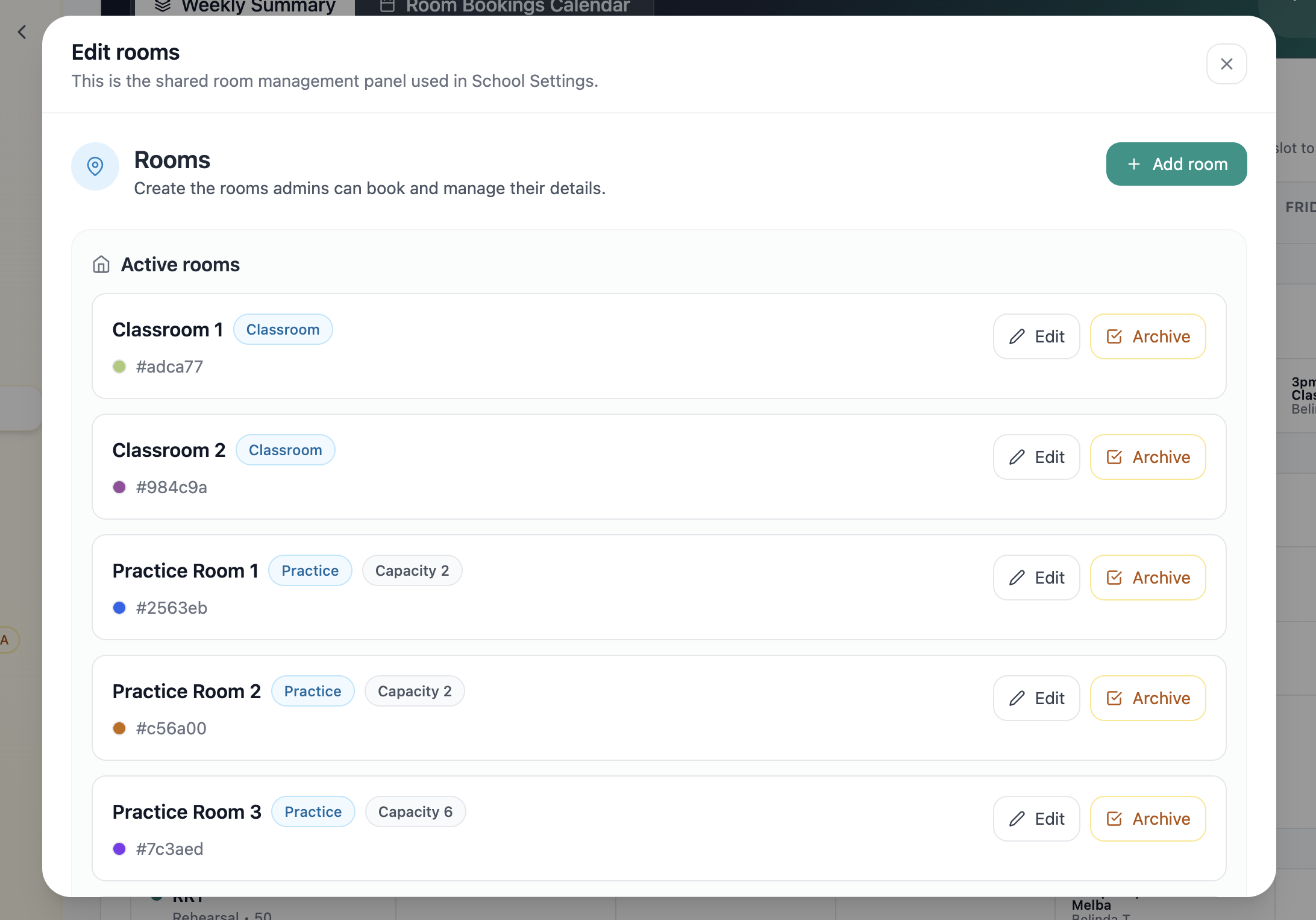
Define your rooms
Set up each room with a name, type, capacity, and colour. Archive rooms without losing their booking history.
Standing bookings
Create recurring bookings on a weekly or fortnightly pattern. Modify individual occurrences without touching the rest of the series.
One-off bookings
Book a room for a single session by clicking and dragging on the room calendar. Room, date, and times are pre-filled.
Room unavailability
Block out rooms for maintenance or closures. Configure whether unavailability warns or hard-blocks booking attempts.
Weekly Summary
A compact overview of all standing bookings across rooms and weekdays at a glance.
Room Bookings Calendar
Day, week, and month calendar with rooms as columns. Colour-coded, with conflict checking built in.
A teacher is away. Cover them easily.
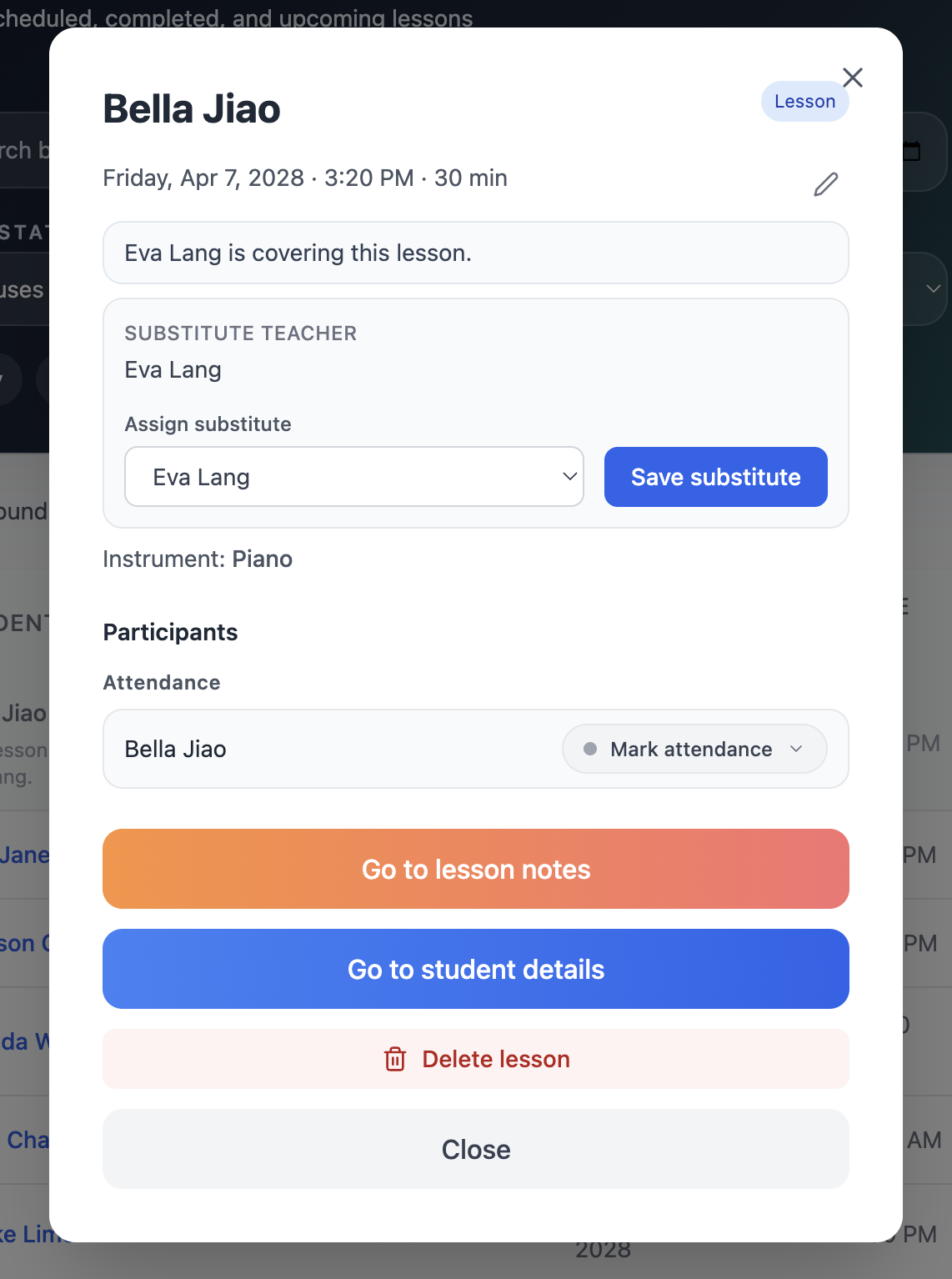
When a teacher cannot make a lesson, the substitute steps in, with access to everything they need.
Most systems force a bad choice: manually reassign the lesson (breaking lesson history) or leave the cover teacher without proper access. Octavia has a purpose-built substitute teacher model that avoids both.
An administrator assigns a substitute to any lesson. The original teacher keeps ownership for reporting, billing, and history. The substitute gets full operational access for that session — attendance, notes, rescheduling. The calendar shows each teacher exactly what they need to see.
What the substitute can do
What stays with the original teacher
One billing view for the whole studio.
Generate invoices, track lessons, and report across every teacher from one place.
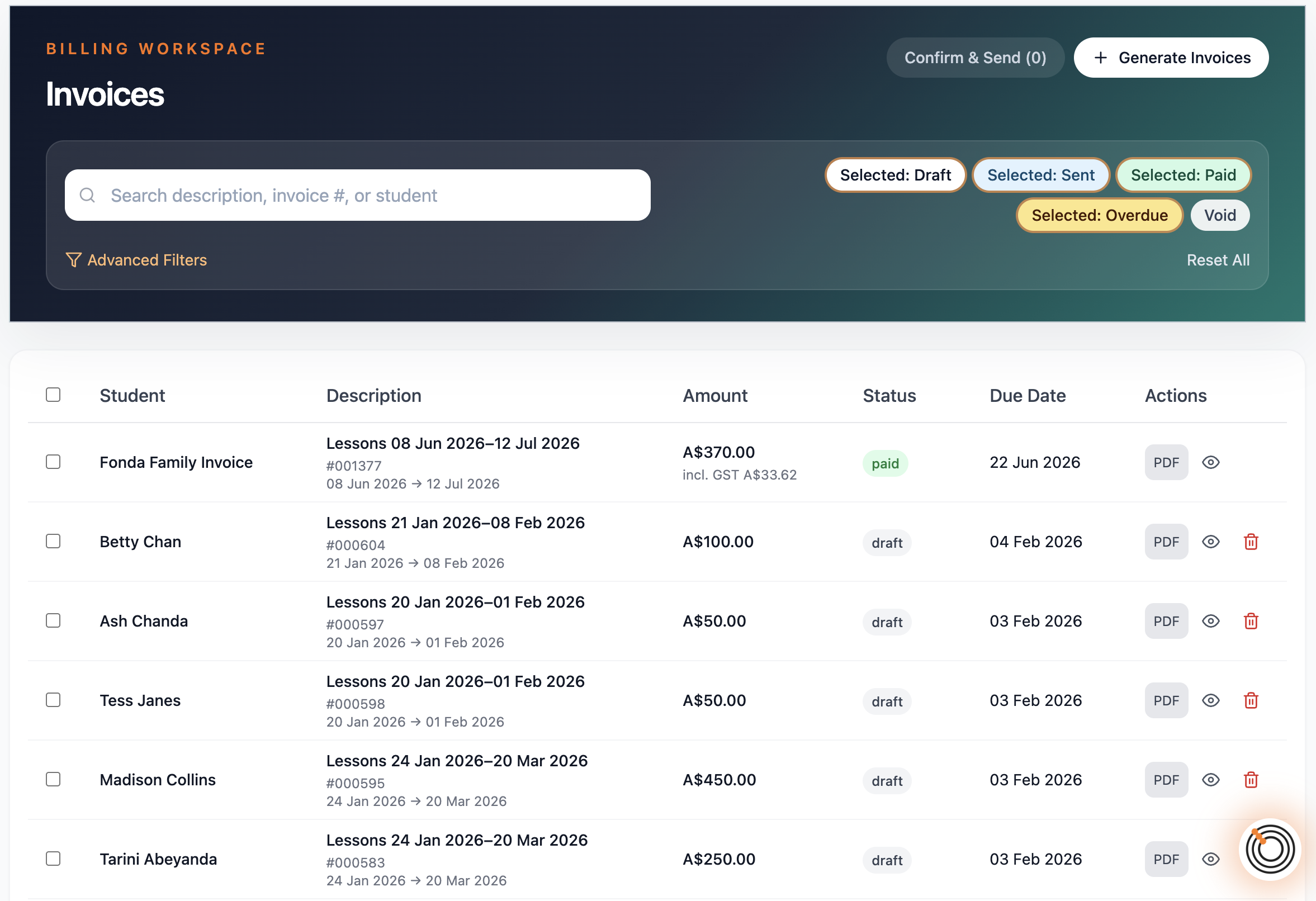
In a multi-teacher studio, billing is only manageable if you can see everything in one place. Octavia gives administrators a central billing view that spans every teacher's students — no switching accounts, no chasing spreadsheets.
Lesson attendance feeds directly into the billing record. Every lesson that was taught, cancelled, or rescheduled is tracked, so invoices reflect what actually happened — not what was originally planned.
Central billing across all teachers
Generate invoices for every teacher's students from one admin screen. No logging in as each teacher.
Attendance-driven records
Every lesson has an attendance status. Billing reflects the actual lesson record, not just the scheduled timetable.
Scope-aware reporting
Switch scope to see billing and lesson data for your own students, a specific teacher, or all teachers at once.
Lesson history per student
Every lesson is stored with its attendance status, notes, and date — a complete record for invoicing and parent queries.
Teacher lesson records
View any teacher's full lesson history from the admin area without the teacher needing to export anything.
Makeup lesson tracking
Cancelled lessons generate makeup credits. Makeups are tracked through to completion so billing stays accurate.
Your whole studio in one calendar view.
Colour-coded by teacher. Filterable. Always scoped to what you need to see.
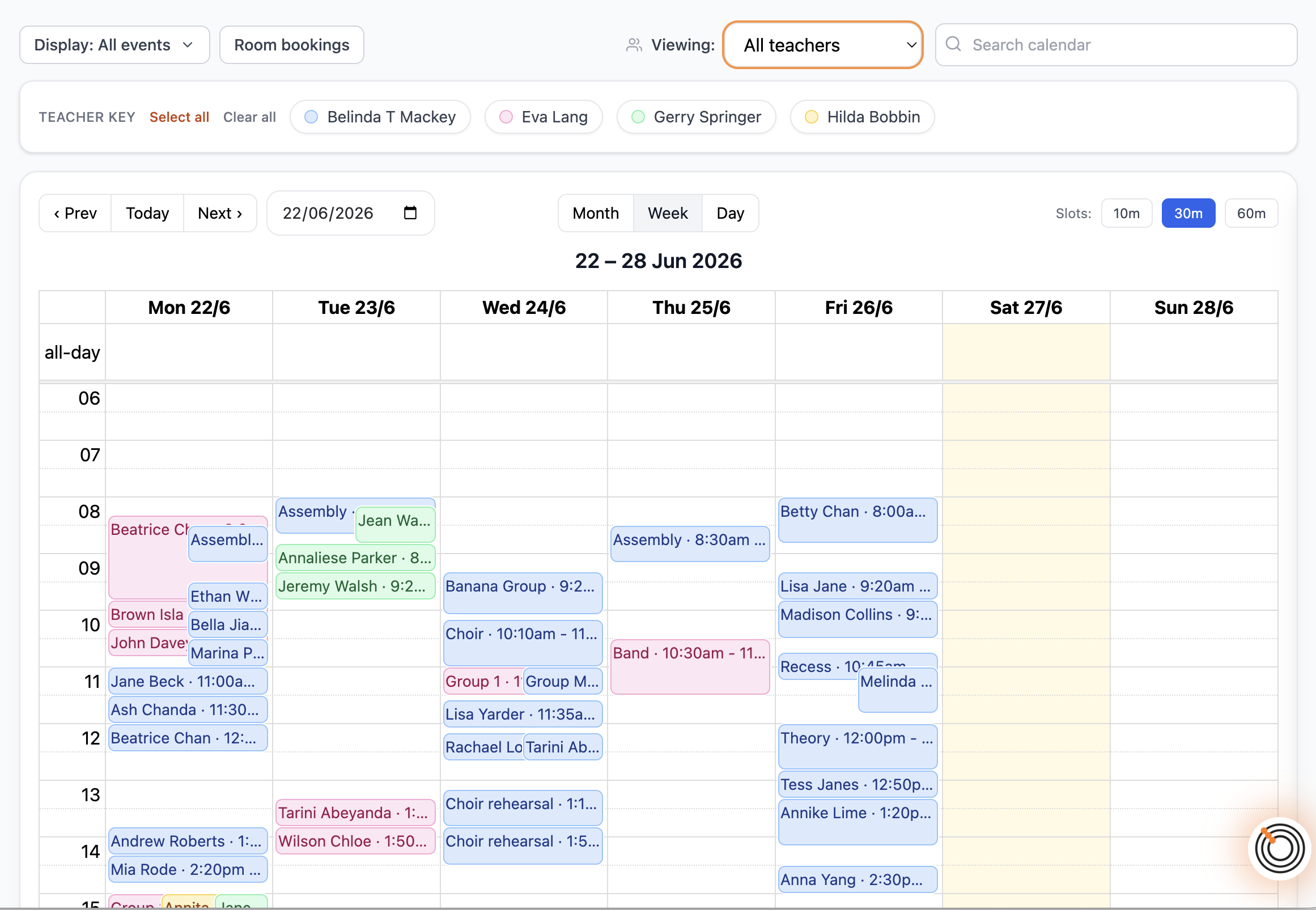
The main calendar has a scope selector that appears only for multi-teacher studios. Switch between your own view, a specific teacher, or all teachers at once. The scope carries through search, event loading, and the calendar cache so everything stays consistent.
In all-teachers mode, events are colour-coded by teacher rather than by event type, and an interactive teacher key appears above the calendar. Show or hide individual teachers from the key — changes apply instantly without reloading the page.
Scope selector
Mine, all teachers, or any individual teacher — consistent across calendar, lessons, news, performances, and practiceathons.
Colour-coded by teacher
In all-teachers mode, events take the colour of the teacher who owns them, making the view immediately readable.
Interactive teacher key
Show and hide individual teachers from the key without leaving the calendar. Select all or clear all in one click.
Room bookings layer
Toggle room bookings on or off. When on, room commitments appear alongside lessons for the current scope.
Substitute rendering
Covered lessons appear greyed out for the owner and distinctly styled for the substitute.
Safe write actions
Event creation is only available when viewing your own scope, not when browsing another teacher's calendar.
A seamless experience across your whole studio.
Families see one professional studio, not a collection of individual teachers.
School-wide events sit above the individual teacher level. Administrators create them, and every teacher can enrol their students. Families experience a consistent, coordinated front-of-house regardless of who their teacher is or what instrument their child plays.
School-wide performances
Admins create performances for the whole studio. Teachers add their own students. Families receive communications from one place.
School-wide practiceathons
Run practice campaigns across the whole school with a shared leaderboard and public progress page covering every teacher's students.
School-wide news
Broadcast announcements and studio information to all families at once. Teachers can also send news to their own students separately.
Everything in the Studio Plan
A complete platform for the whole business.
Ready to run your studio on one shared platform?
Already a teacher on Octavia? You can upgrade to the Studio Plan from your account at any time.