Lesson Notes Have Evolved
Don't just write text in your lesson notes.
Include everything your students need to practise, right there in front of them.
What if your lesson notes could do this?
With Octavia, music teachers can create interactive lesson experiences inside their notes.
Lesson Tools are self-contained resources you can drop straight into a lesson note to help a student practise one specific skill.
Don't go hunting for the right website. No need to open separate apps. And no “I couldn't find it at home” excuse from students.
Just the right tool, placed directly under the instruction, ready to use.
Lesson Tools, Right Where You Teach
Choose from a library of interactive resources, designed for music teachers.
Each Lesson Tool is a purpose-built, self-contained resource that supports one part of a student’s music-making, whether it's rhythm, listening, reading, memory, motivation, performance prep and more.
They’re designed for what actually happens in a lesson: you notice a weakness, decide what’s needed, and you want the student doing the right thing immediately, not next week after you’ve "found a good resource”.
See the tools in action
Short videoAutoplays muted. Tap to unmute.
This short video shows how Lesson Tools fit naturally into lesson notes, and how they help students address common problem areas in their musicianship.
Built for real lesson time
Because 30–50 minutes disappears fast.
The most important teaching happens in the moment: you hear what’s missing, you adjust, you explain, you reinforce, and you try to move the student forward before time runs out.
Lesson Tools exist to make the most of those minutes.
Instead of spending lesson time searching your computer, opening websites, copying links, emailing parents, or hoping the student “finds a metronome,” you insert the tool on the spot. So you make the most of every precious minute with your student.
Remove friction. Increase follow-through.
If the tool is in front of them, they’ll actually use it.
Here’s the difference:
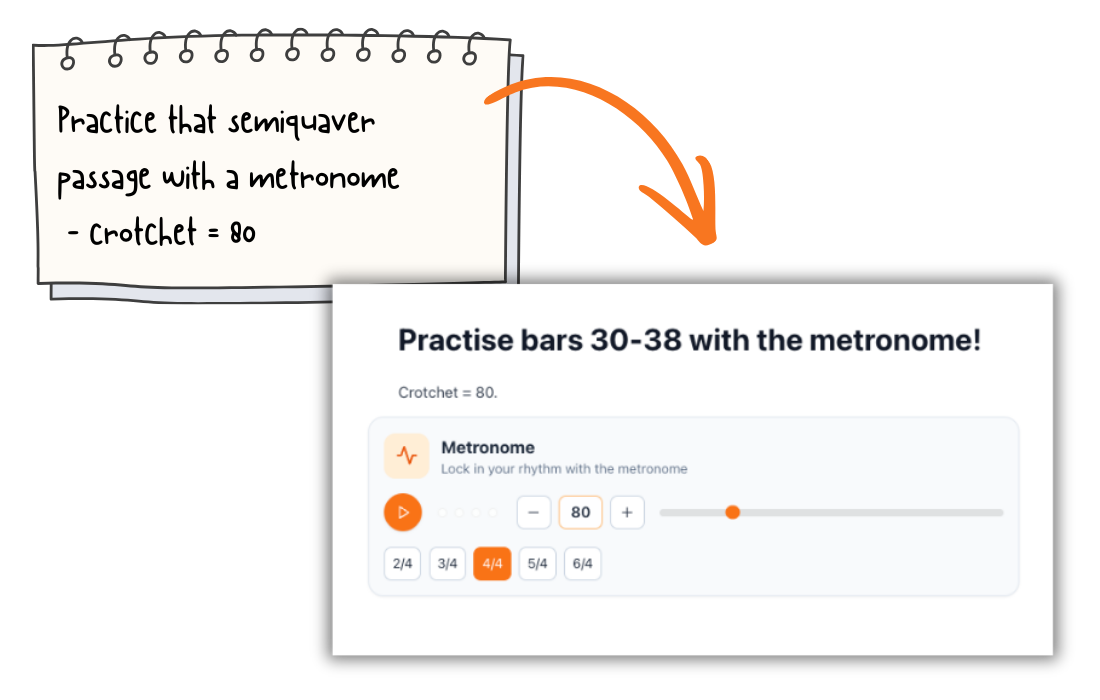
When you write, “Practise that semiquaver passage with a metronome — crotchet=80,” you don’t want that to be a suggestion.
You want the metronome sitting right underneath the instruction, ready for them to press play.
When a student can’t tell a 2nd from a 7th and they have an exam coming up, you don't want to lose ten minutes hunting for an aural resource, or worse, ask them to ask a family member to play random notes for them.
You want the right aural tool already built for the job, inserted instantly.
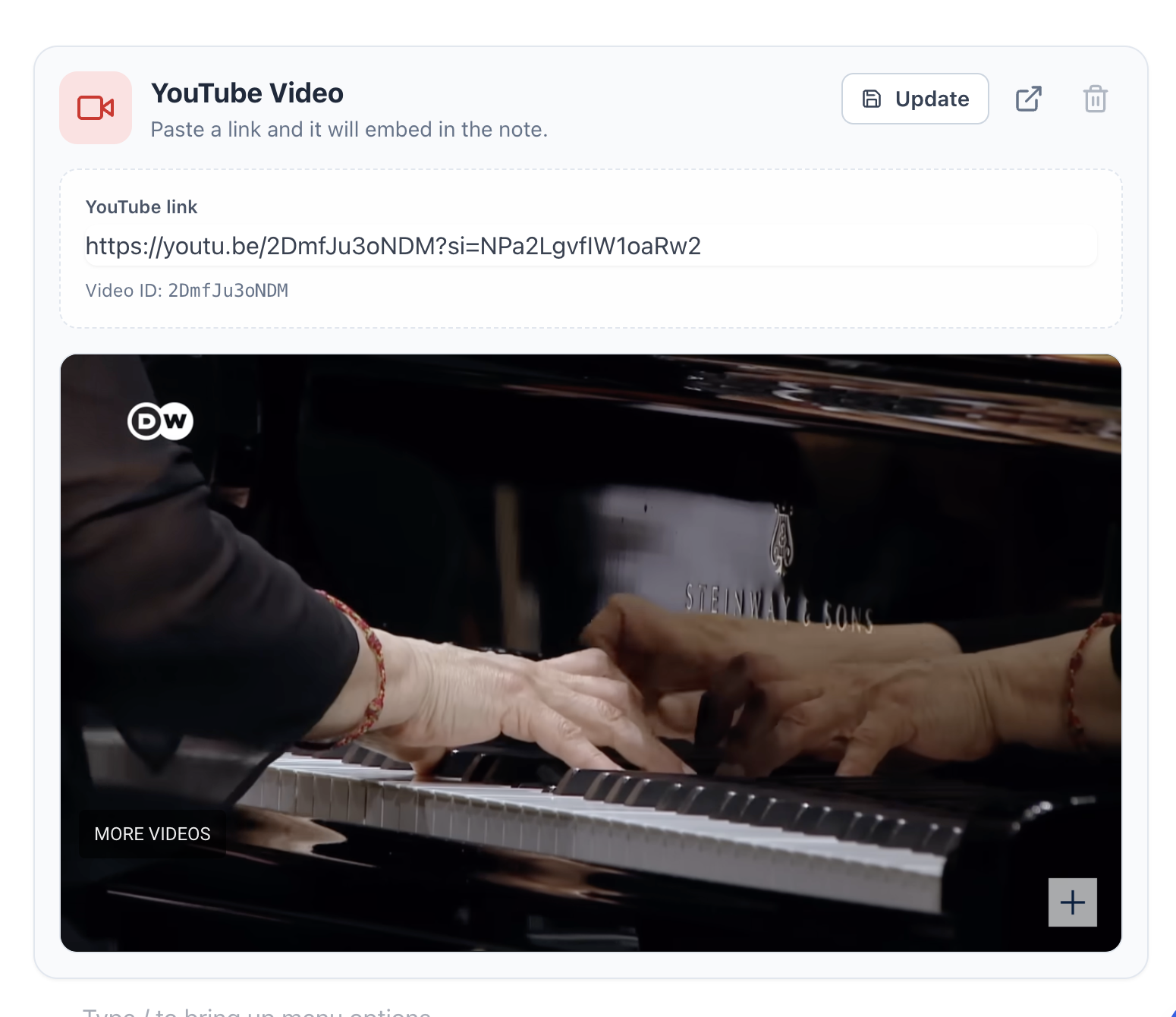
When they’re playing Schumann with no dynamic shape, you don’t want to find the recording, copy the link, email the parent, explain what it’s for, send it, and hope it reaches the student.
You want the performance recording link sitting inside the lesson note, exactly where they look every time they practise.
Lesson Tools turn your teaching instructions into actionable practice, with nothing in the way.
What tools can you insert?
Pick the right one for the moment — and drop it directly into the note.
Most teachers don’t use every tool in every lesson. You use the ones that match what the student needs today. And because they’re designed to be inserted instantly, you can decide what's needed on the fly.
Browse the tool types
Click on a tool to view the detail.
Scroll, or use the arrows
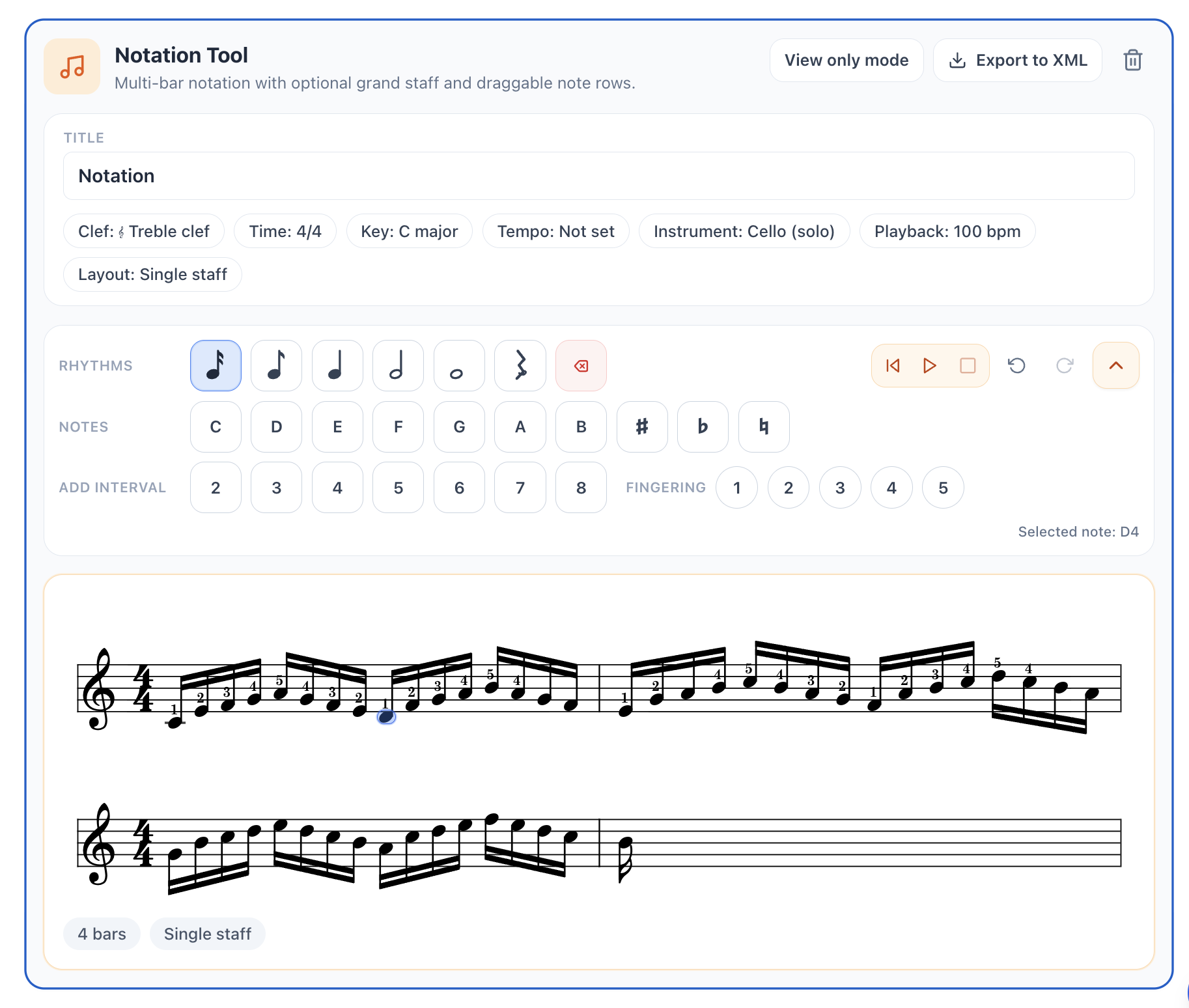
🎼 Notation Tool
Write simple staff notation directly inside a lesson note. Add notes and rests, choose rhythm values, adjust pitch, accidentals, clef, key, time signature and tempo, then let students view or play it back where their practice instructions already live.
A toolset built from real teaching
These tools aren’t “features for the sake of features”. They’re a practical teaching toolkit, crafted from real studio experience, designed to help you build confident, capable musicians without losing lesson time.
Start with one tool
Insert it once. Watch the follow-through change.
Open a lesson note, click the + button (or type /), and insert one tool in your next lesson.
Ready to try the tools inside a real lesson note? Start simple, with one student, one lesson, one tool, and build from there.