

Boring Admin Stuff
There’s a lot of admin that comes with being a music teacher.
- You want to get paid, ideally on time
- You want to have a clear schedule and for students to know when their lessons are
- And you want students and families to get all the info they need about lessons and performances, along with the expectations that comes with having lessons with you.
A lot of our admin processes as teachers happen because it was how we saw our own teachers do it, or it’s how we’ve always got by, or it’s how we’ve managed to piece it together in the small time available to us between lessons.
And it can really drain our energy.
But it’s not how it is has to be. There’s the hard way and the Octavia way. See the difference below.
Scheduling
- Send 20 emails to your families asking for their availability
- Go back and forth with 20 different responses
- Get frustrated about everyone only asking for the 4pm slot and more families needing lesson times changed.
- Keep a handwritten timetable that gets lost of is hard to edit.
- Import your student list.
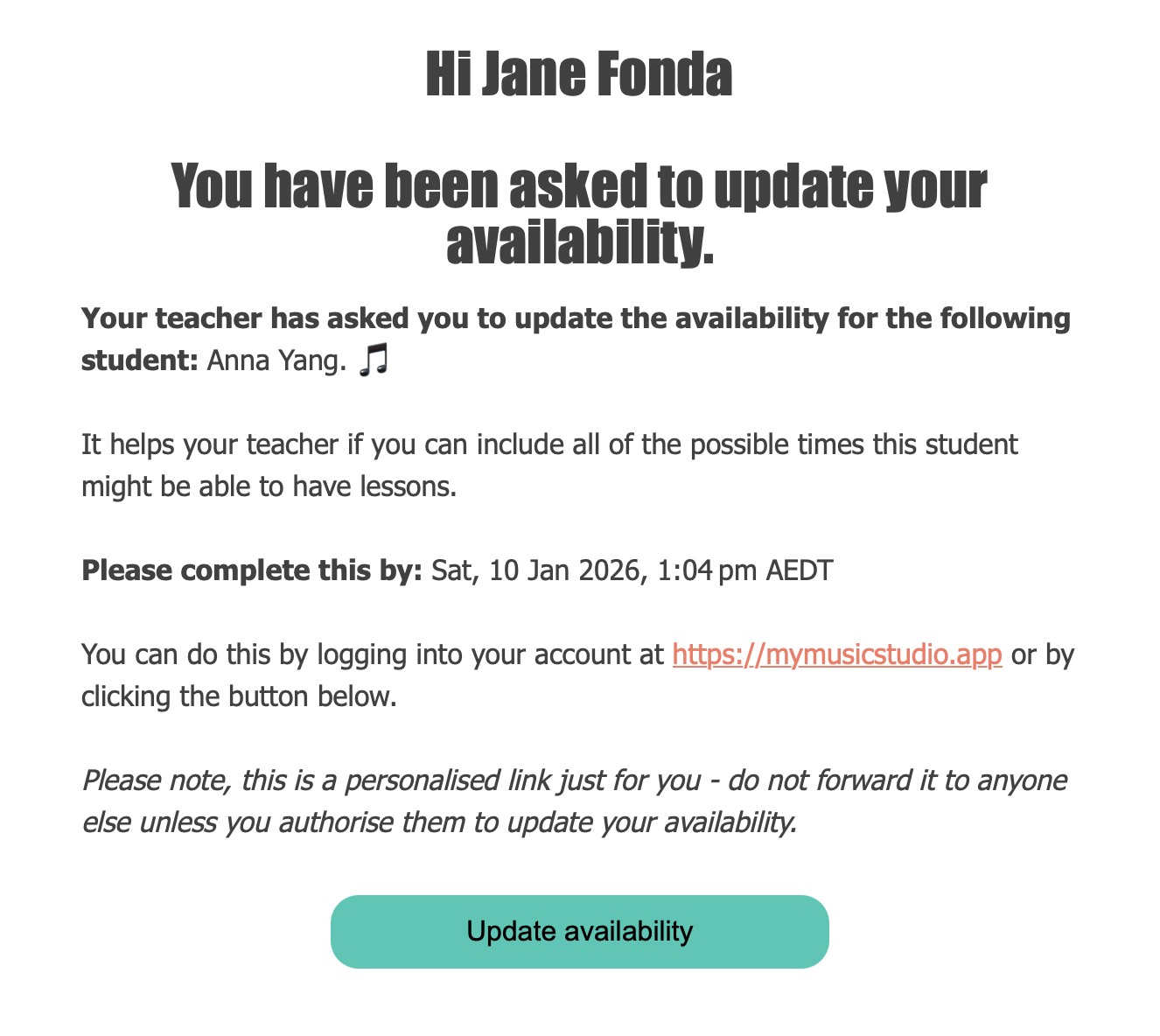
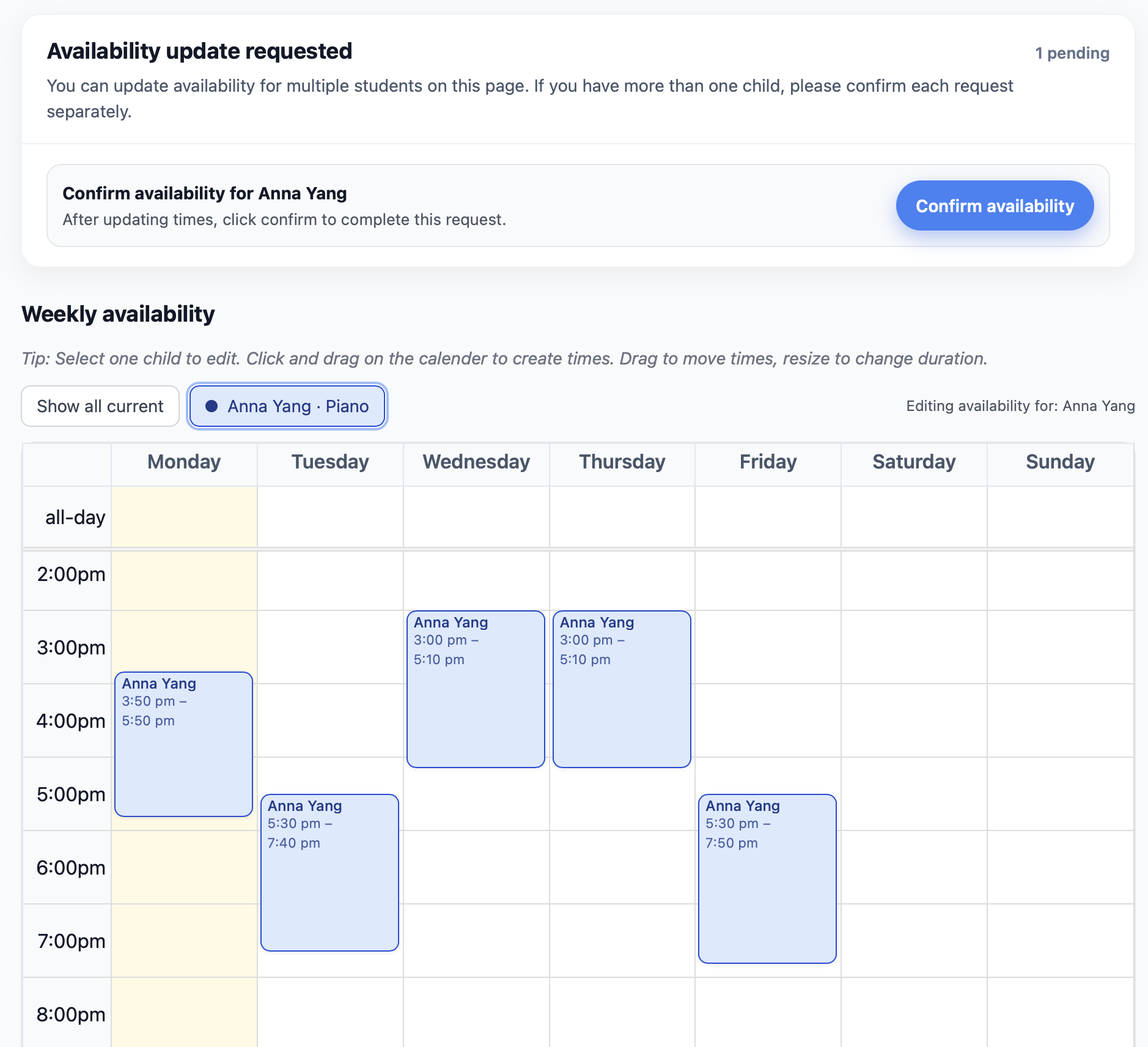
- Invite them to submit their availability through the app. (They don’t even have to set up an account — they can do it from an email that arrives in their inbox.)
- You can even allow them to see YOUR availability if you wish, so they know what times are available.
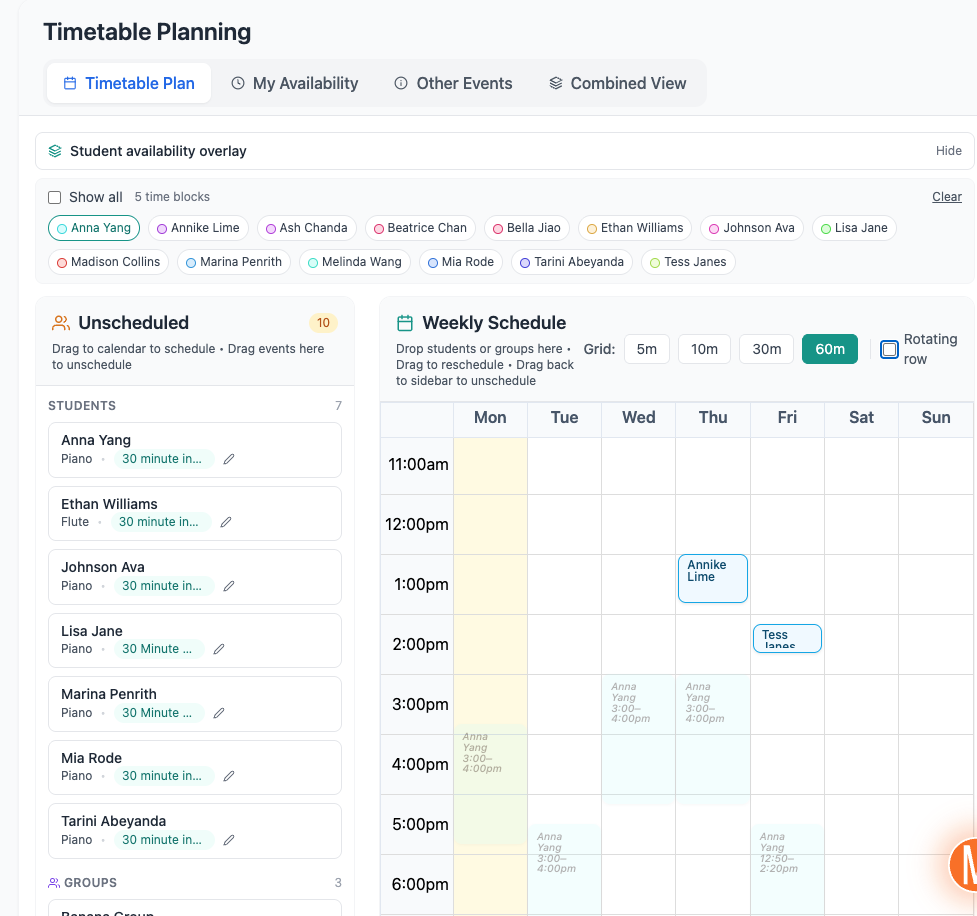
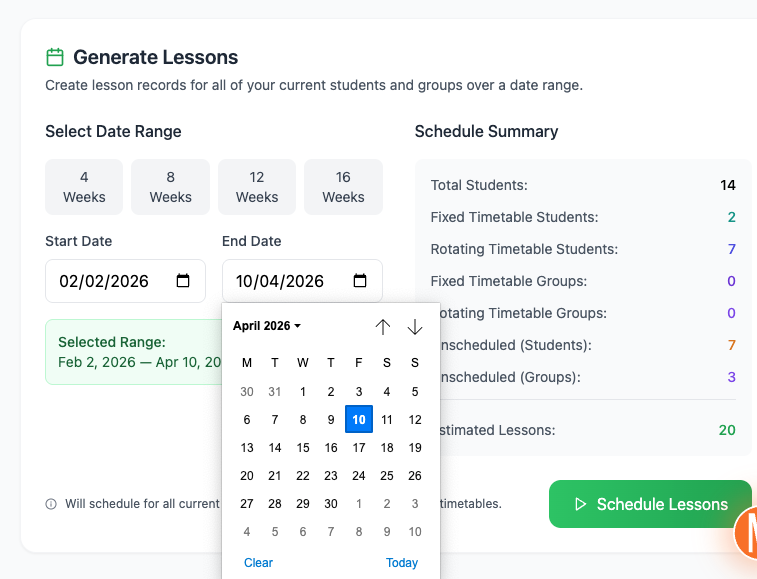
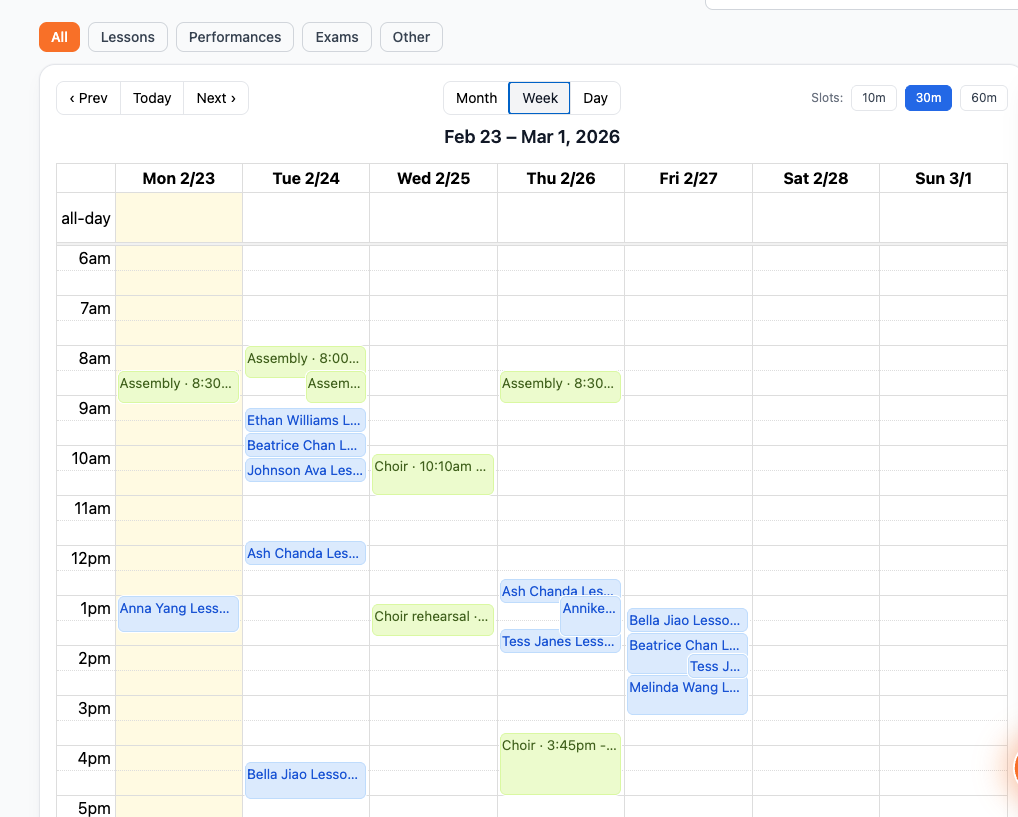
- Then when you do your timetable, you can see ALL of your students’ availability in one place, while you drag and drop your students into the timetable slots.
- Then just enter your term dates and generate the term’s lessons for everyone to see.
Scheduling screenshots
Auto slideshow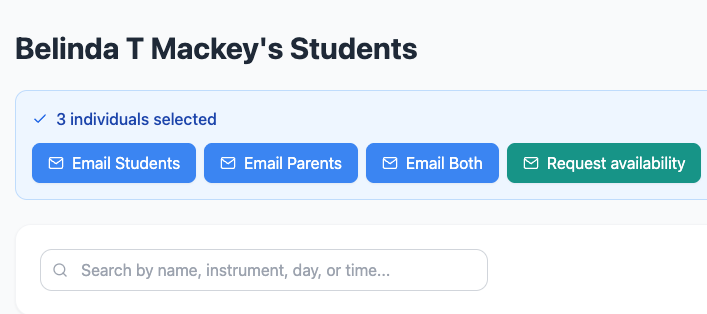
Attendance
- Keep track in your head of how many lessons a student has missed.
- Keep a written record that gets misplaced, or that makes it hard see why a lesson was missed, whether it should be charged, or whether a makeup should be owed.
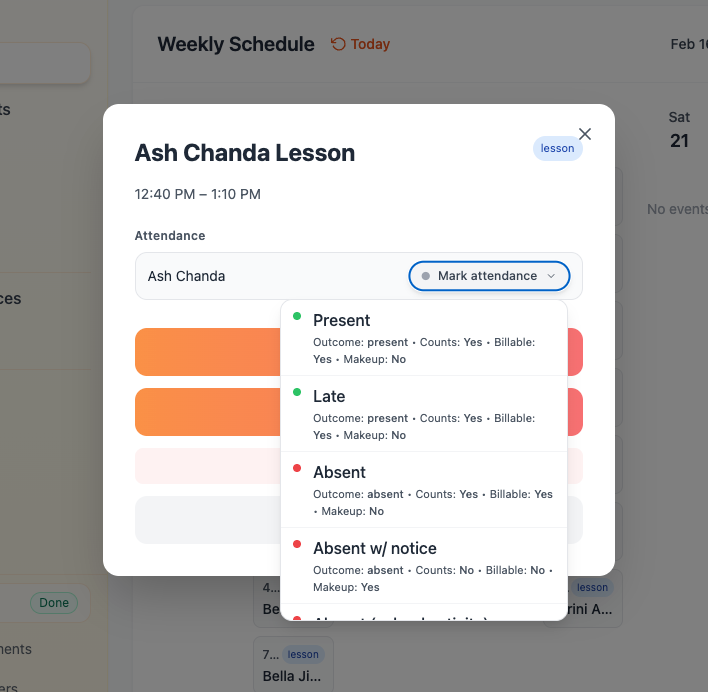
- Configure your attendance settings to match your studio policies.
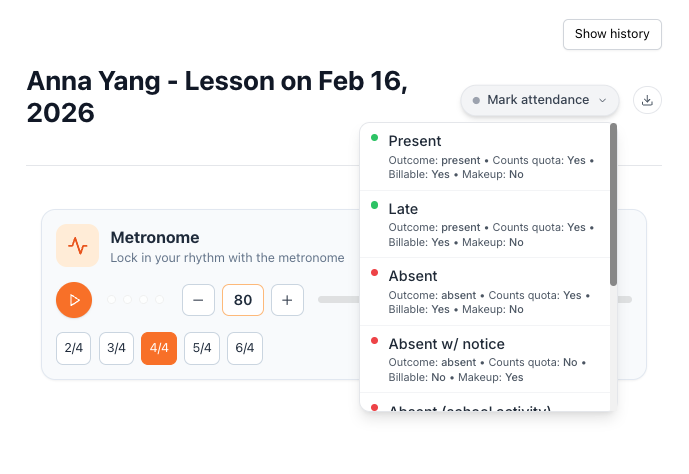
- Easily mark your student’s attendance from anywhere you are in the app.
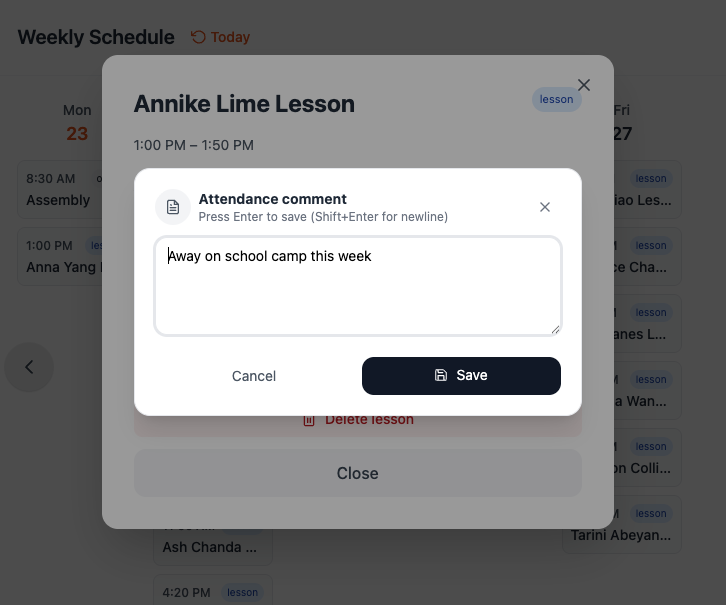
- Record comments on the attendance reason if desired.
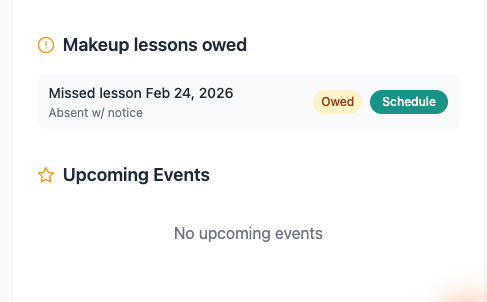
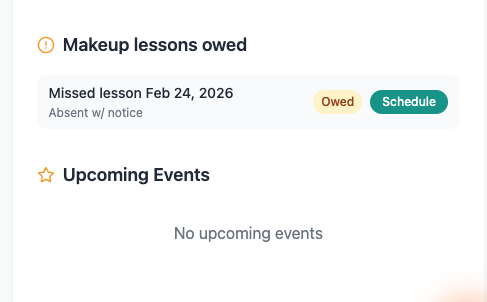
- Trust the system to create a makeup credit if owed.
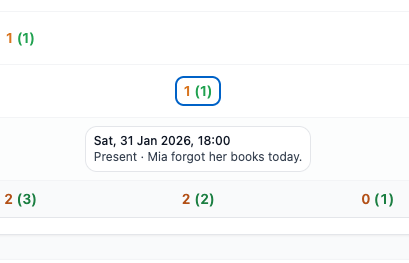
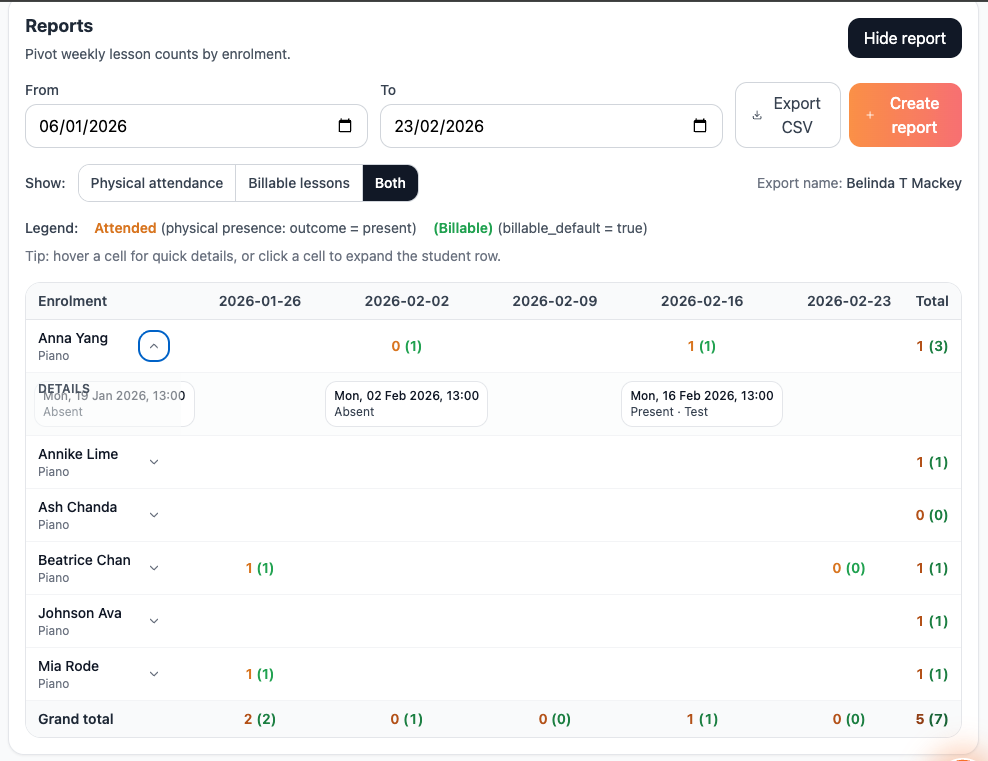
- Easily view your students’ attendance for the week on the Dashboard, or in the lesson list, or in a detailed report, with comments.
- Get an easy overview of a student’s attendance for the term semester or year, and use the data to identify students lacking motivation or commitment so you can proactively make any changes necessary to assist them.
Attendance screenshots
Auto slideshow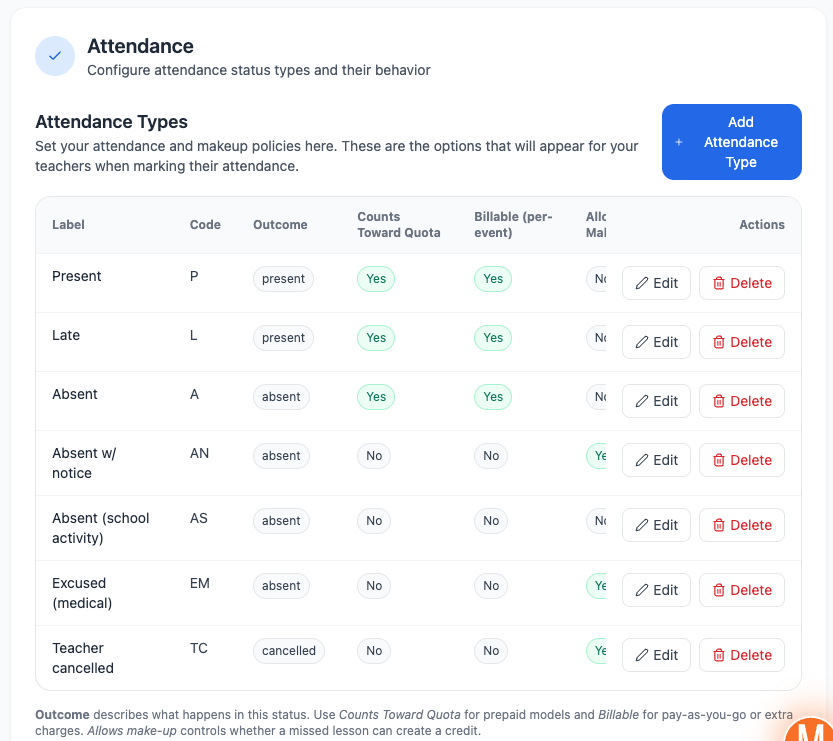
Communication
- Rely on your students to tell you if their family is coming to the upcoming concert.
- Or send out 20 emails asking if they are coming, only to receive 5 replies.
- Or send your policies to your families by email, hope they’ll read it, only for them not to be acknowledged, and lessons commence anyway.
- Never know if they’ve actually been read.
- Have no record of their agreement.
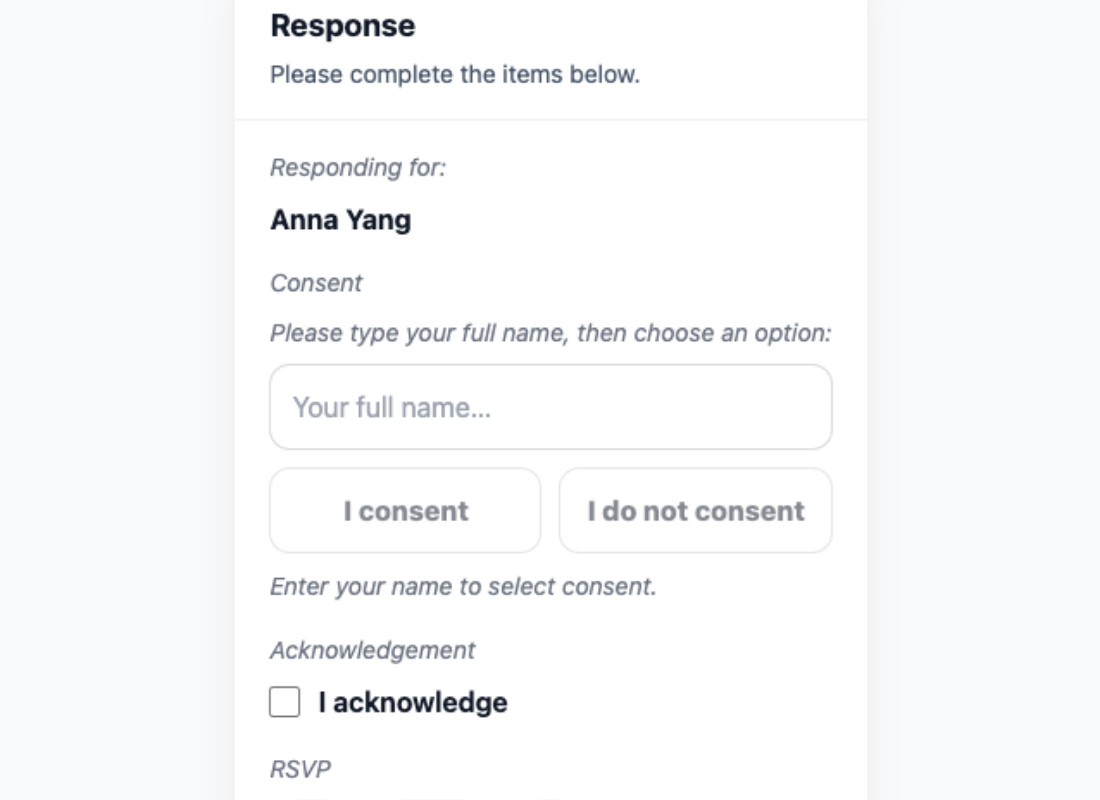
- Create a News Item with your policies and add your students to it.
- Send out the item, with response required.
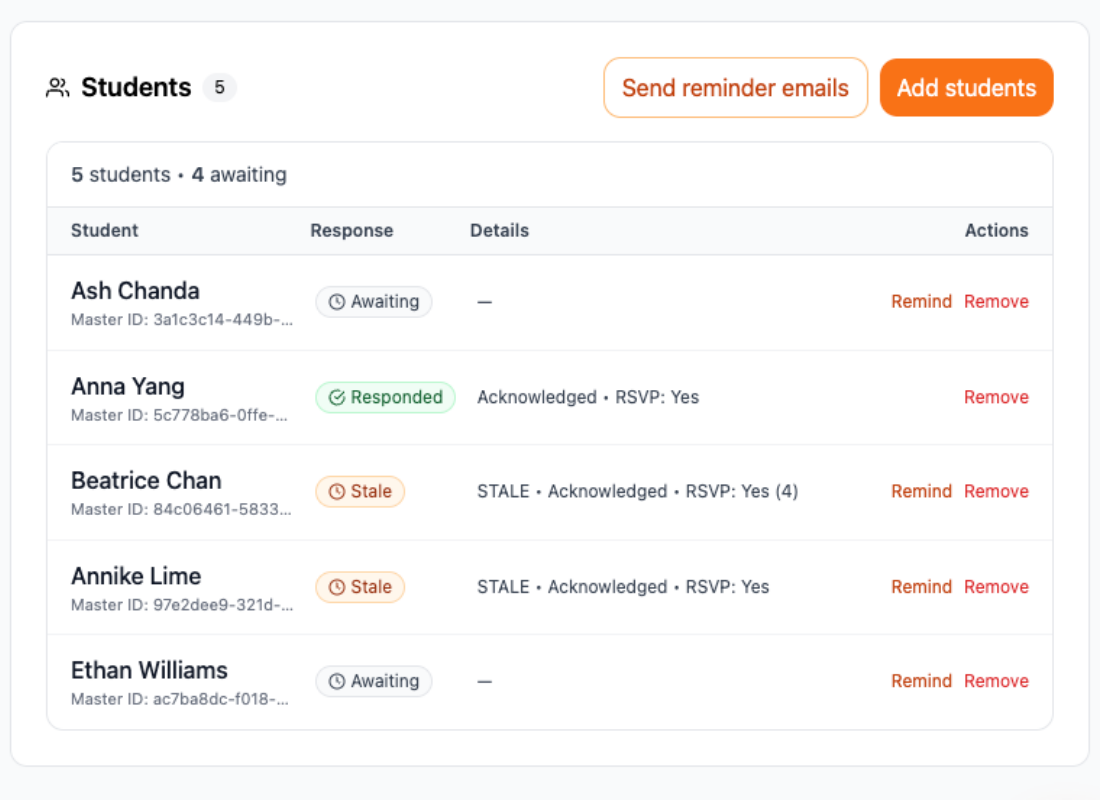
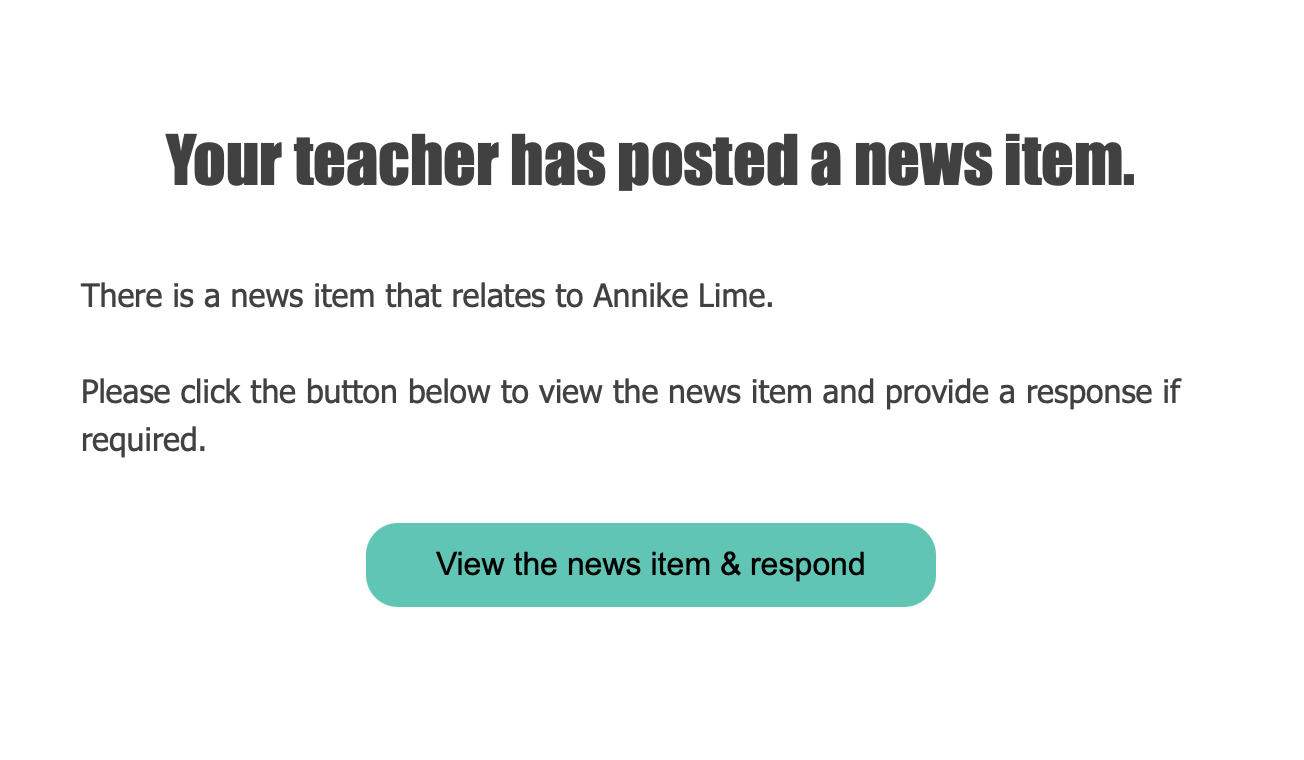
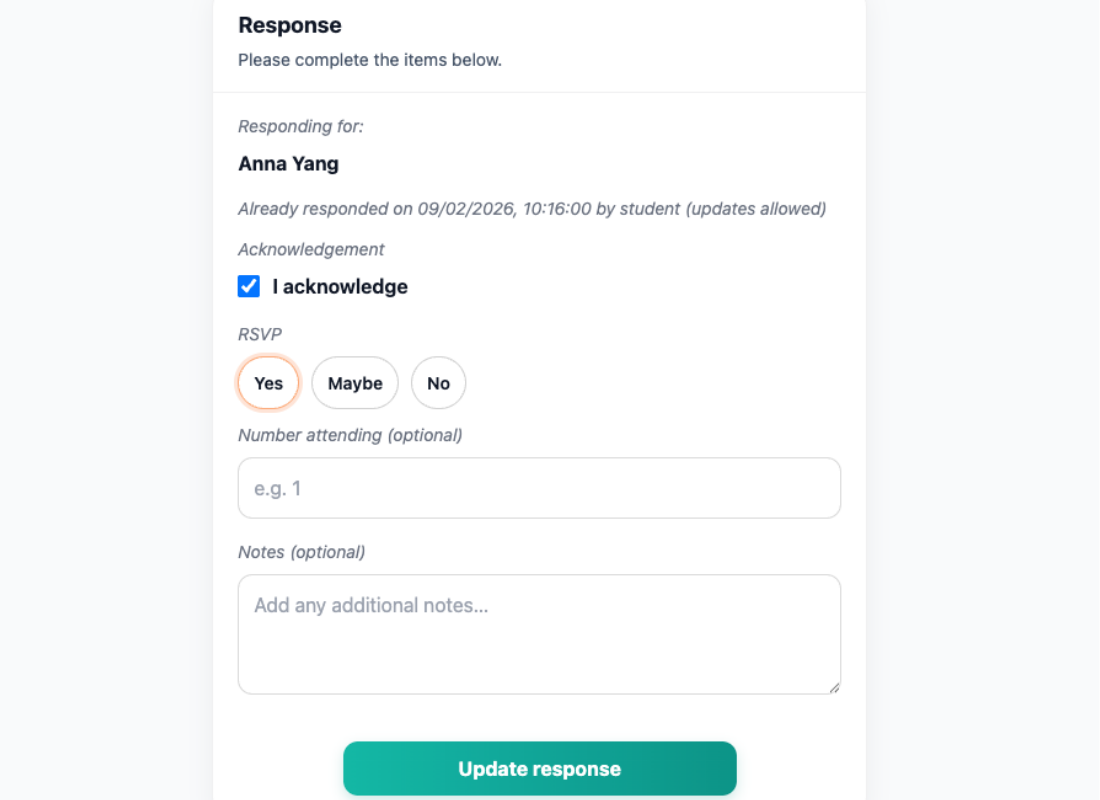
- Parents receive a notification they have something to respond to, they open the link from the email, read the details, and acknowledge or respond online.
- You keep visual track of who has responded in one place, and have a documented record of their agreement.
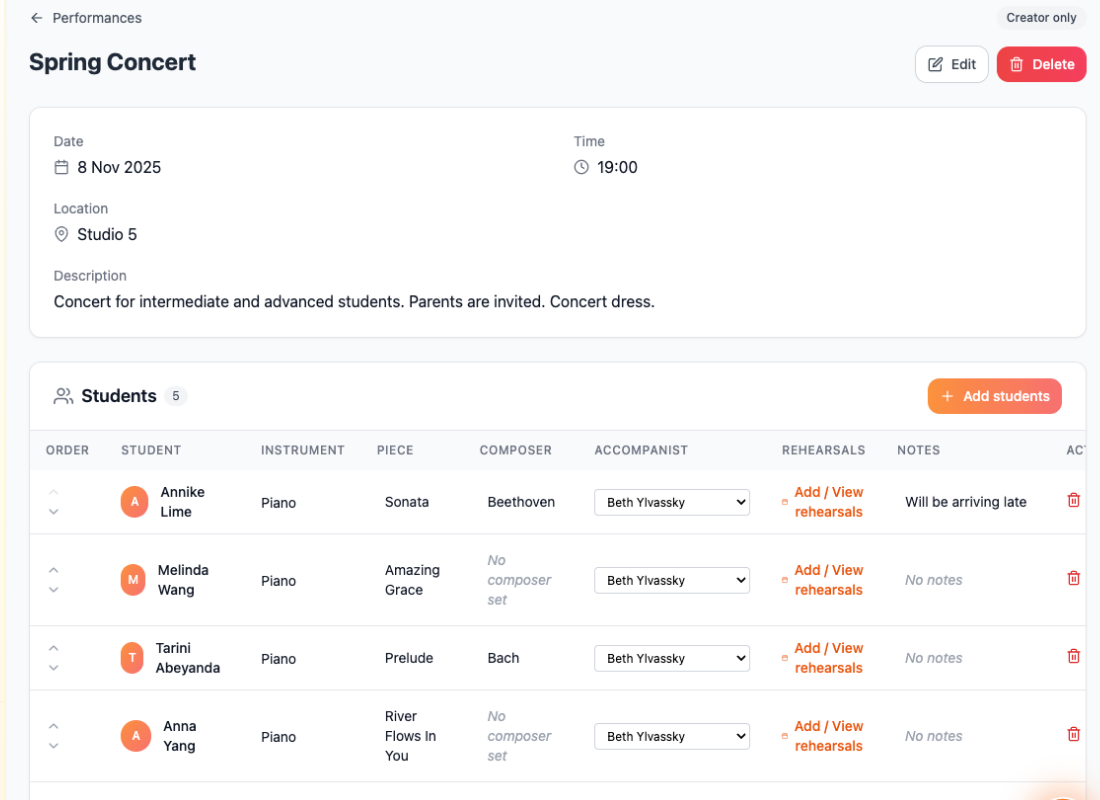
- Or: Use the News Item to send out information about the upcoming concert, and you get to decide what response you’d like back (RSVP, consent, dietary requirements, etc.).
- All of this can be requested and managed in one place, with easy access and clear expectations for parents and students.
Communication screenshots
Auto slideshow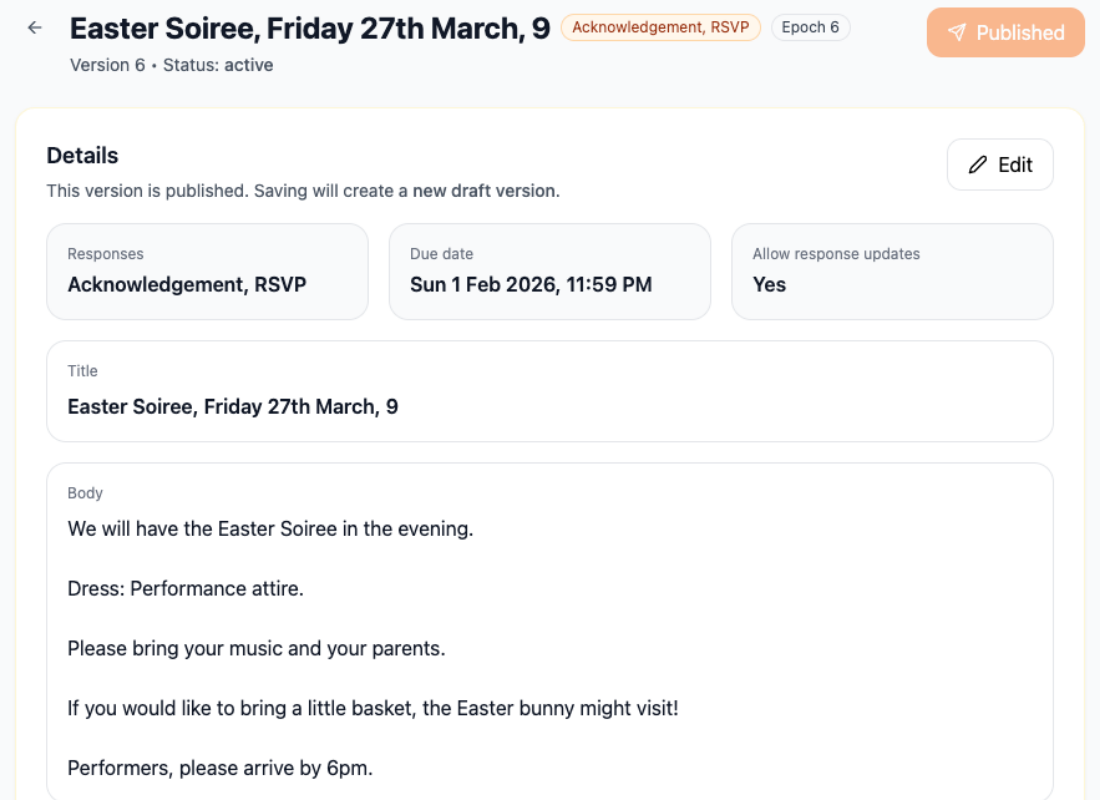
Billing
- Manually count up how many lessons there are this term for Monday, then Tuesday, then Wednesday, Thursday and Friday
- Then figure out who’s on which day and what amount they should each pay.
- Then manually send an email or an invoice to each family with their amount.
- Drag and drop your students onto the timetable.
- Set your term’s start and end date, and click ‘Schedule’.
- In the calendar, simply delete lessons that appear on public holidays or any weeks off you or they are having.
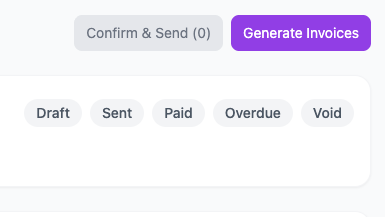
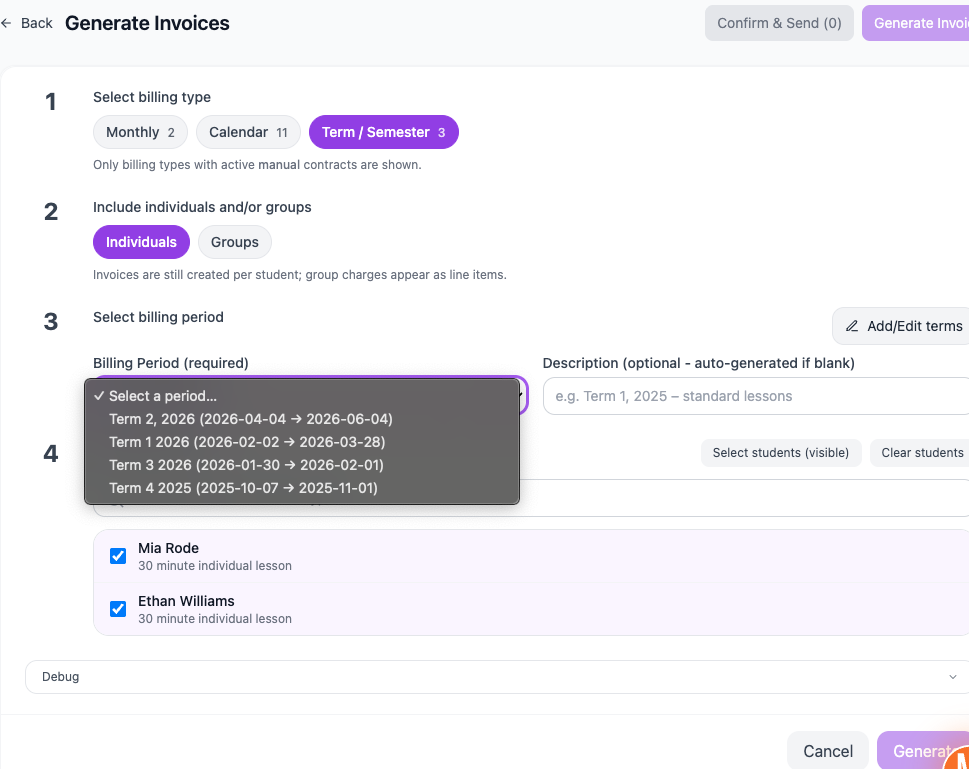
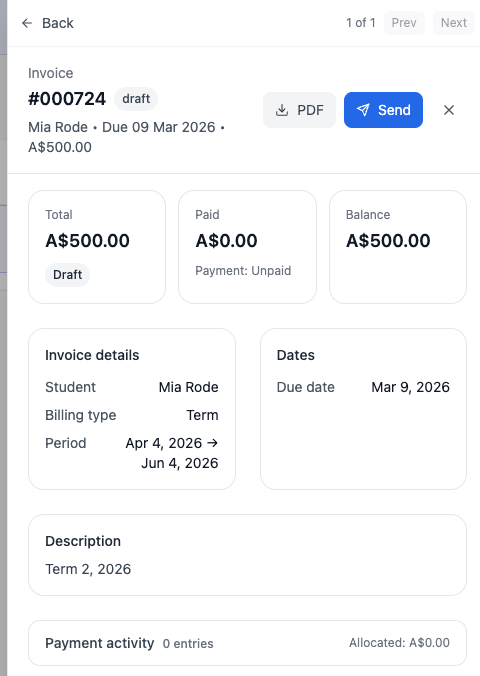
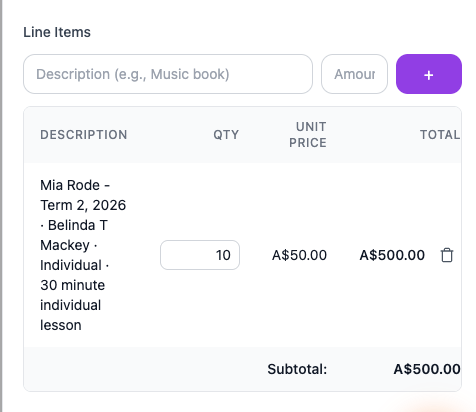
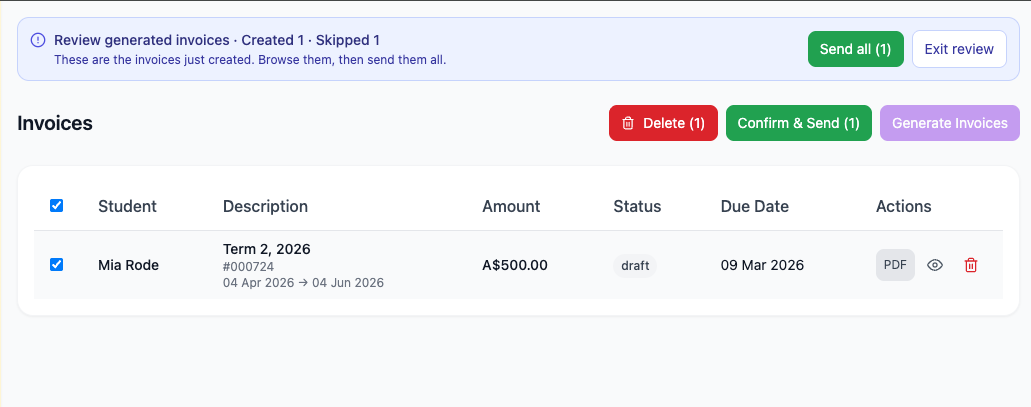
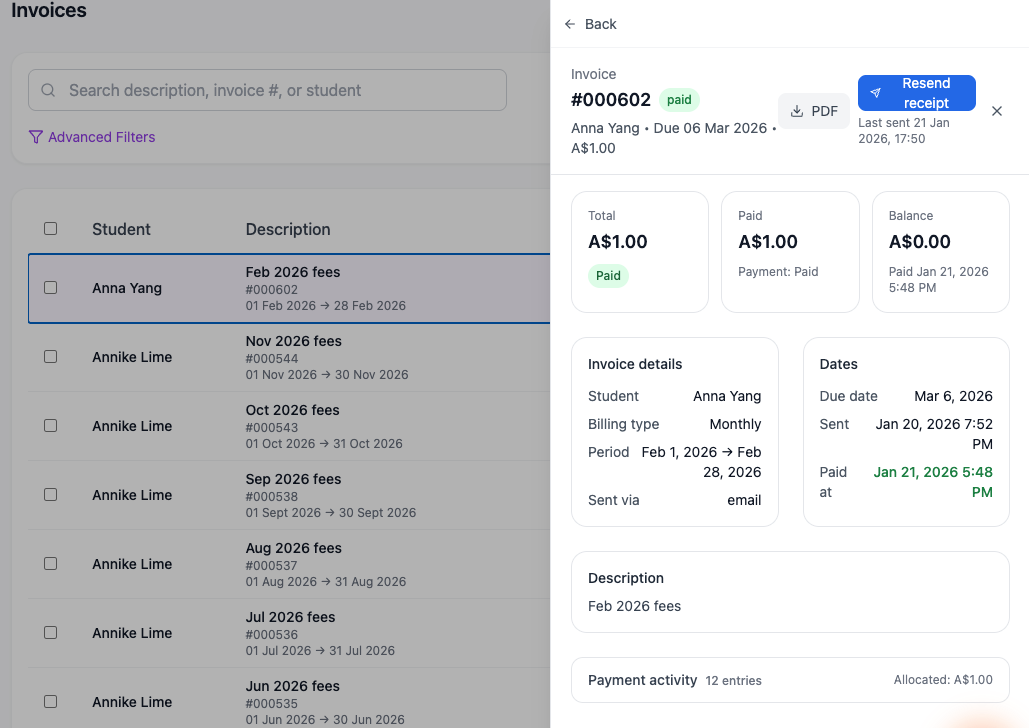
- Then generate and send invoices in one go, with each invoice tailored perfectly to each student.
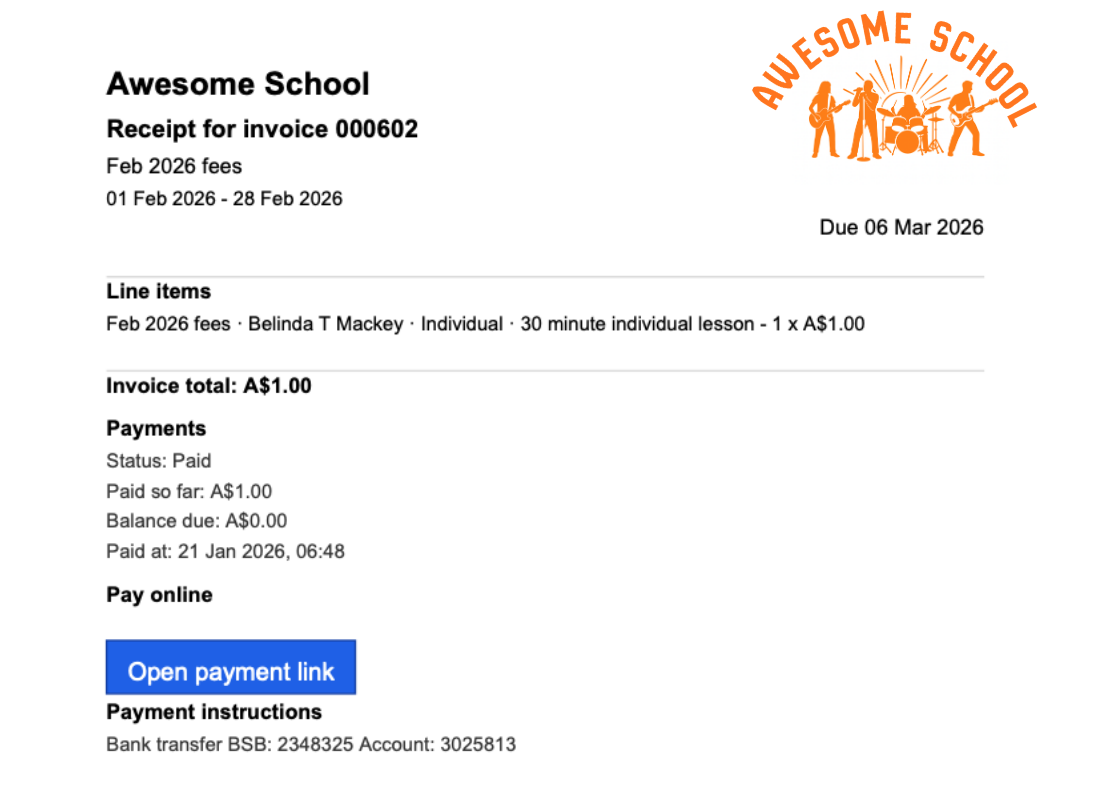
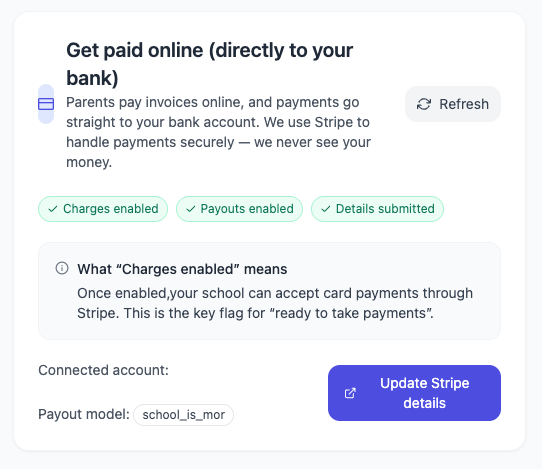
- If you want your families to pay online, simply set up Stripe in the Billing Settings, and the payment link will automatically be included on each invoice, taking your family to a secure payment link.
- If you allow makeup lessons, when you mark a student as absent, a makeup credit will automatically be recorded, which you can use to schedule a lesson that doesn’t get charged.
Billing screenshots
Auto slideshow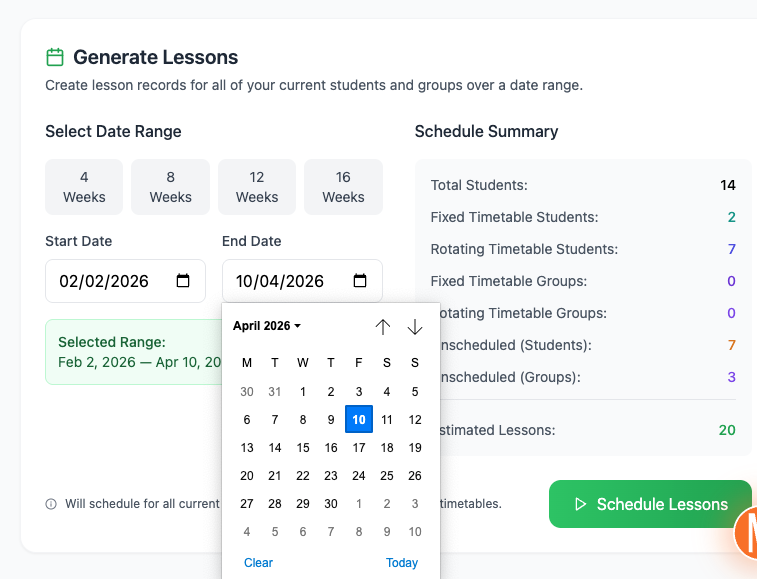
Admin that doesn’t drain you
Once you get Octavia supporting you, you no longer have to do everything manually, admin won't be so time consuming, and it won’t drain your battery the way it used to.
Give it a try now. You'll have access to the Pro Teacher plan for a month, and after that, if you don't love it, you can use the Free Forever plan for occasional support, or keep your current process.